
Turning printed materials into Google reviews
That thank-you card tucked into your last shipment, the receipt handed across the counter, the flyer stapled to a community board: each one is a missed review request. QR code Google reviews turn those static, one-way printed assets into a two-tap path to a rating. The technology is simple. The execution, as most local businesses discover, is where the volume is won or lost. This guide walks through the code type, the landing page, the placement, and the tracking setup that separate a printed asset people ignore from one that steadily feeds your Google Business Profile.
Why QR Code Google Reviews Belong on Every Printed Asset
The gap between a happy customer and a public review is almost always effort. Someone finishes a good meal or opens a well-packed order, feels positive, then does nothing, because leaving a review means opening an app, searching for your business by name, and typing. A QR code collapses that sequence into a single scan. Printed materials are the ideal carrier because they are already in the customer's hands at the moment satisfaction peaks.
There is a defensive angle too. Fast Company notes that without your own online presence, you are at the mercy of whatever Google shows people. Reviews are a large part of that surface. A steady flow of recent, positive ratings is one of the few levers a small business controls directly, and physical touchpoints are where that flow starts.
The goal is not to plaster a code on everything you print. It is to place a review prompt where purchase intent has just converted into satisfaction: after a completed meal, a finished service call, a delivered product. Match the ask to the moment, and the scan rate follows.
Static or Dynamic: Which QR Code Should Point to Your Review Page
A static QR code encodes a fixed URL directly into the pattern. Once printed, it cannot be changed. If Google alters the structure of your review link, or you rebrand, or you want to route different batches to different destinations, every printed asset is now dead weight.
A dynamic QR code encodes a short redirect URL that you control. The printed pattern stays the same while the destination behind it can change at any time. That single property matters for reviews in two ways. First, you can fix a broken or outdated review link without reprinting a thousand receipts. Second, dynamic codes route through a system that counts every scan.
That tracking layer is the reason dynamic wins for review campaigns. Fast Company points out that Bitly's free analytics show what links were clicked, how often, and in which countries. A dynamic QR code gives you the equivalent for physical scans: a running count you can attribute to a specific asset. A static code hands you nothing but hope. For a bottom-of-funnel play where you want to prove the printed asset is working, guessing is not an option.
Building the Review Landing Page That Removes Friction
You have two destinations to choose from. The direct route sends the scan straight to your Google review form, the screen where a customer taps a star and writes. The routed approach sends the scan to a short landing page first, then forwards to Google. Each has a place.
For a single location with one clear ask, direct is best. Fewer steps, fewer drop-offs. Point the dynamic code at your Google Business Profile review link so the star selector loads immediately. Every extra tap between scan and rating costs you conversions.
A landing page earns its keep when you run multiple locations or want to explain the value exchange. Fast Company reports that a basic link-in-bio mini-site can be built in about 10 minutes using free services such as Carrd, Linktree, or Bitly. That is enough to host a one-line thank-you, a single 'Leave a Google review' button, and, for multi-location brands, a short list that routes each customer to the correct storefront profile.
One firm rule: do not gate. Withholding a discount or filtering out unhappy customers before they reach Google violates Google's review policies and puts your profile at risk. If you offer a value exchange, offer it to everyone who scans, before they decide what to write.
Where to Put the Code: Receipts, Packaging, Flyers, and Table Tents
Placement decides whether the moment of satisfaction ever meets the code. The strongest slots sit at the end of a positive experience, when the customer is still holding something you printed.
Size and quiet zone matter as much as location. A code that is too small for its scanning distance, or crowded to the edge without a blank margin, simply will not scan. For the sizing rules and contrast guidance behind reliable scans, see our QR code best practices article rather than eyeballing it.
The highest-intent physical carriers for review prompts:
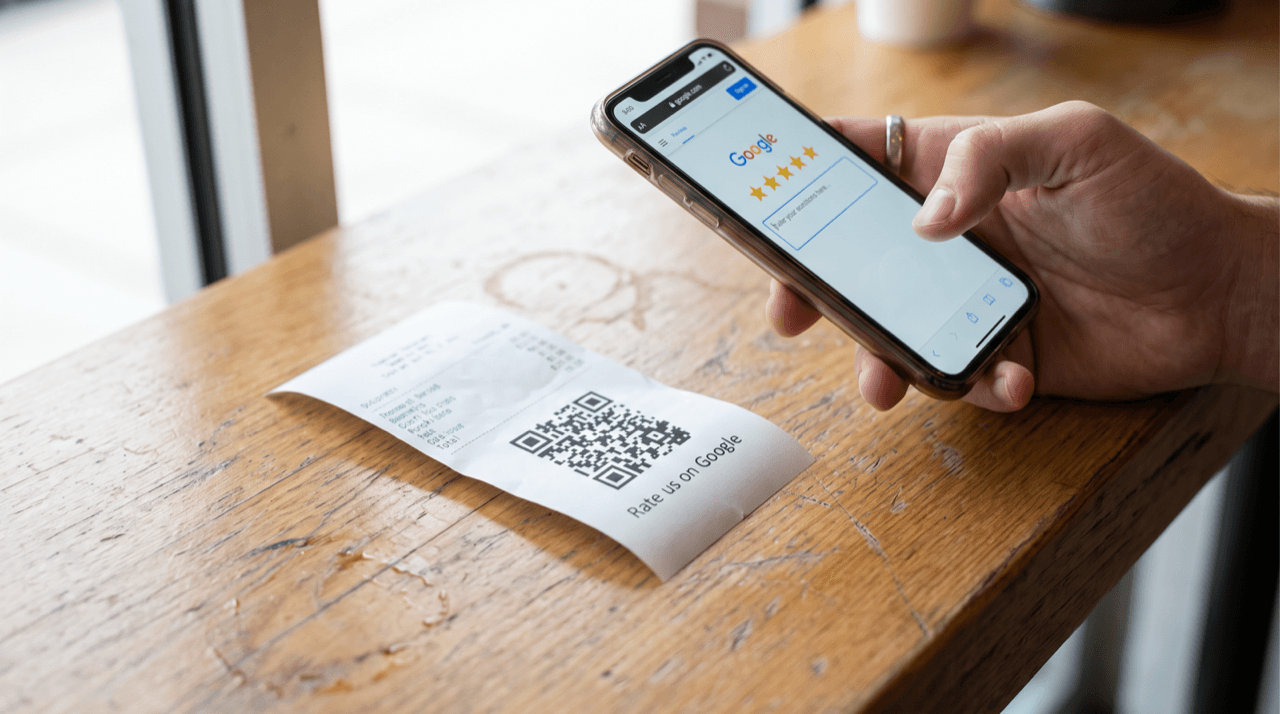
- Receipts and order slips: handed over at the exact moment a transaction completes, when the interaction is fresh and the customer is still engaged.
- Product packaging and inserts: the thank-you card or box flap a customer sees when a well-packed order arrives, a natural peak of goodwill.
- Table tents and check presenters: hospitality's built-in dwell time, where a diner is seated, fed, and waiting.
- Service leave-behinds: the invoice, door hanger, or business card a technician leaves after a job, printed with a clear 'Rate this visit' prompt.
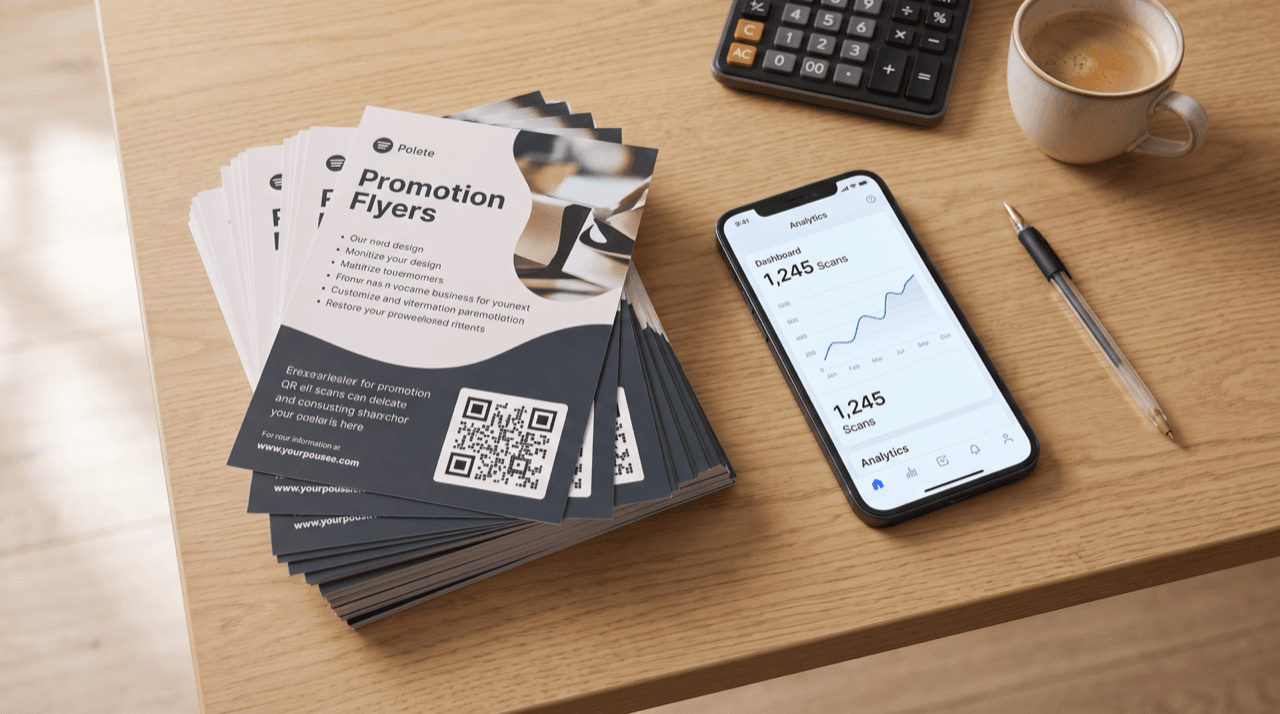
- Flyers and loyalty cards: lower intent, but useful for a repeat-customer base that already knows you.
Tracking Scans: Connecting QR Code Google Reviews to GA4 and Tag Manager
Scan counts from your dynamic QR platform tell you how many people started the journey. To understand what happened after the scan, connect your landing page to Google Analytics. According to Semrush, Google Analytics 4 (GA4) is a free tool that tracks website visits and user interactions as events. Note that standard Universal Analytics stopped processing data on July 1, 2023, so GA4 is the only current option; do not build on the old property.
The cleanest way to wire the events is Google Tag Manager. HubSpot describes Google Tag Manager as a system that lets marketers add tracking tags, including click and form-submission tags, without writing new code each time. You place one container snippet on your landing page, then create a tag that fires when someone clicks the 'Leave a Google review' button. That click becomes a measurable event in GA4.
Keep the two tools straight. Search Engine Journal is blunt about the division: Google Tag Manager has no reporting features and is literally a container that stores and manages code, while Google Analytics is where analysis happens. Tag Manager captures the button click; GA4 shows you the pattern.
For campaign-level clarity, append UTM parameters to each printed asset's destination so a receipt code and a packaging code report separately. Search Engine Journal's paid search guidance notes that auto-tagging enables seamless data import into Analytics and supports data-driven attribution; the same discipline of tagging every source applies to your printed codes.
Measuring Scan-to-Review Conversion (Do the Math Yourself)
Here is the honest limitation, stated plainly: Google does not tell you which review came from which scan. There is no attribution line from a specific receipt to a specific five-star rating. So you measure with two numbers you can see and correlate them over time.
The first number is your scan-to-click rate on the review button, captured in GA4 through the Tag Manager event above. The second is your Google Business Profile review count, which you read directly from the profile week over week. Rising button clicks alongside rising reviews is the signal that your printed assets are converting.
To build a baseline, do the arithmetic yourself. Say a hypothetical print run of 500 receipts carries the code and 60 people scan. That is a 12% scan rate. If 30 of those scanners tap the review button, your scan-to-click rate is 50%. If your Google review count rises by roughly 15 that week, you can reasonably attribute the lift to the printed campaign. Those are round, illustrative numbers, not a benchmark; plug in your own counts and recompute.
Track the trend, not a single week. One good week can be noise. Four weeks of aligned movement between button clicks and new reviews is evidence you can act on: reprint the winning asset, and cut the placement that produced scans but no clicks.
Common Execution Mistakes That Kill Review Volume
Most review campaigns underperform for the same handful of reasons, and every one is avoidable.
Sending the scan to your homepage instead of the review form is the most common. A customer who has to hunt for the review button after landing will abandon. Deep-link straight to the star selector. Using a static code you cannot fix is the second: when the review link changes, a static run is scrap. Gating reviews is the most dangerous, because it can cost you the profile entirely; offer any value exchange to everyone or not at all.
The quieter failures are timing and craft. Asking too early, before the product has been used or the service judged, produces scans from people with nothing to say yet. A code printed too small or without a quiet zone will not scan at all, which is why placement and sizing deserve the same scrutiny as the message.
The fix for all of them is the tracking loop. When you can see scans, clicks, and review growth per asset, a failing code stops being a mystery and becomes a variable you change and remeasure.
QR code Google reviews work when three pieces align: a dynamic code you can fix and track, a friction-free destination that loads the star selector immediately, and a placement that meets the customer at peak satisfaction. This week, pick your single highest-intent printed asset, most likely the receipt or the packaging insert, and put one dynamic code on it that deep-links to your Google review form. Wire a button-click event in Google Analytics 4 through Google Tag Manager, then record your Google review count today as a baseline. In seven days, compare scans, clicks, and new reviews. If clicks are high but reviews are flat, your ask or your timing is off; if both climb together, reprint and scale it.
Start measuring your own campaigns
QRlytics tracks every scan with location, device, and browser data, so you can see which printed pieces actually pay off. The free plan covers your first codes at no cost, and Pro unlocks unlimited dynamic codes and full scan history when you are ready to scale. See all options on the plans page.

Ready to track your QR codes?
Create trackable QR codes with powerful analytics. See who scans, when, and where. All in real-time. Get started for free today.